
Improve Surface Realism Through Image to 3D Texture Detailing
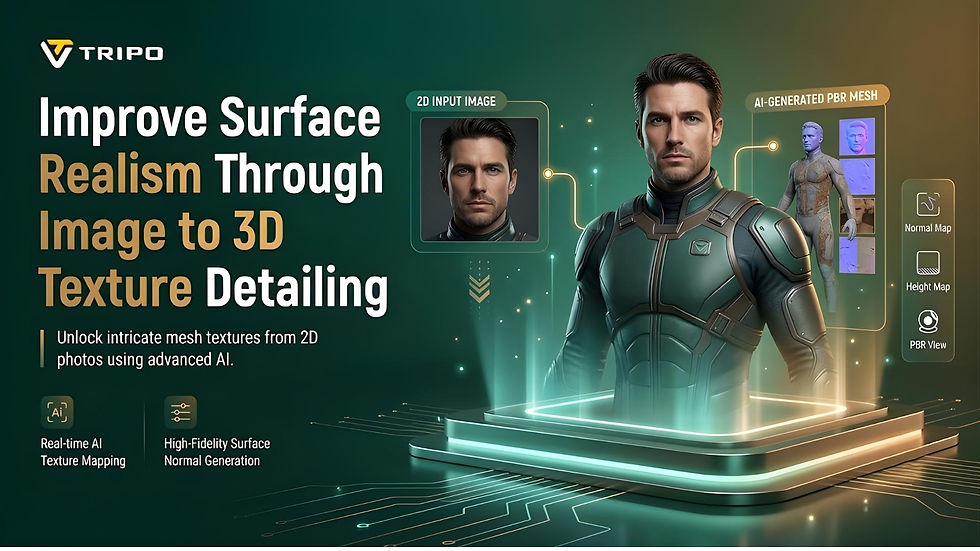
Surface realism is an important aspect of creating convincing 3D assets. Even with correct geometry, without detailed surface information, it can look artificial. Textures add to the material, wear, and complexity of objects to make them believable.
Tripo 3D extends this process through a texture detailing engine that automatically adds surface characteristics based on visual input. This article explains surface realism, outlines Tripo 3D's texture technology, discusses optimization methods, and describes how to create high-quality textured assets efficiently.
Understanding Surface Realism in AI-Generated 3D Models
Surface realism refers to how closely the outer surface of an object resembles its intended appearance. It has texture patterns and material qualities, depth cues, and subtle surface variations. Textures play a major role in realism because they indicate whether a surface is metallic, wooden, plastic, stone-like, or fabric-based.
The representation of material with realism helps viewers to understand objects intuitively. Scratches, grain, pores, and imperfections are details that contribute to visual depth and surface complexity. Tripo 3D aims to preserve these qualities during generation, helping models appear more authentic while maintaining structural consistency and supporting usable 3D assets.
How Tripo 3D's Texture Detailing Engine Works
Tripo 3D uses AI systems to analyze visual data and generate realistic surface properties. The engine can identify image content, infer missing texture information, and refine material details. The platform analyzes visual cues that indicate material characteristics and surface quality.
These characteristics are then refined to enhance visual realism. This approach allows the AI 3d model generator pipeline to create textured models efficiently while maintaining consistency with the input images, depending on image quality and settings. The result is a detailed model with both geometric and surface information.

Elements That Contribute to Realistic Surface Generation
Several factors influence realistic texture generation in Tripo 3D. Texture resolution refers to the level of detail visible on a model's surface. Material accuracy is important for making surfaces resemble real-world counterparts.
Surface variation reduces repetitive patterns and introduces more natural visual differences. Depth representation contributes to overall visual perception. These elements work together to form convincing assets from the image to 3d model conversion process. The balance of these features helps models display realistic detail across different lighting conditions and viewing angles.

Steps to improve surface realism through the Image to 3D texture detailing engine
Step 1: Upload a source image for texture enhancement
First, sign up for Tripo 3D and access the "Model" tab from the vertical left menu bar.
Under the menu, choose "HD Model".
Drag and drop an image for upload. You can also select a file from your device using the "Upload" tab.

Step 2: Adjust texture settings and create the model
Open the "General settings" tab. Turn on "AI complete" for automatic generation, or enable texture and choose a custom "Texture Quality" such as 2K, 4K, or 8K.
Enable "PBR" to obtain accurate material reflective properties.
Select "Quad" or "Triangle" topology for improved topology characteristics.
Set a custom polycount according to the desired level of detail.

Choose between v3.1, best quality, v3.0, fast and balanced, or v2.5, legacy.
Members can make use of "Generate in Parts", "8K Texture", and "Privacy" options.
Press "Generate Model" to start the generation process.

Step 3: Refine textures and export the finished model
Tripo 3D lets you view the model in several styles, including "Solid View", "Cartoon Style", "Sketch Style", "Hologram Style", and "Unlit". You can also "Refine" the design through the bottom menu.
Adjust the "Environment Settings" and manage the viewing angle with "Reset Camera".

Use "3D Print" to print the model or share it directly.
Finally, click the "Export" tab from the bottom menu. Choose the resolution, format, and filename, then click "Export" again to save the design to your local device.

Texture Detailing Features That Enhance Realism
Tripo 3D has several different texture detailing options, which can help to make the scene look more realistic and of higher production quality:
Rich Texture Generation creates detailed surface features and reduces manual painting work.
4K and 8K Texture Support provide higher visual detail while preserving fine material characteristics.
PBR Material Integration simulates realistic light interaction and improves material representation.
Natural Surface Mapping helps textures align more closely with geometry while reducing texture stretching.
Depth-oriented Detailing adds perceived depth to surfaces and improves visual believability.
AI Material Interpretation identifies material attributes and generates texture effects based on context.
Strategies for Maximizing Texture Quality
Texture quality depends on the care taken during preparation and configuration. Resolution levels can be selected to achieve the desired detail level without excessive resource usage. The clearer the source image, the more effectively Tripo 3D can identify important characteristics.
Better texture reconstruction often results from consistent lighting and high-quality source images. Surface quality should remain consistent throughout the model, with minimal inconsistencies. The advanced generation settings provide additional control over texture quality, material properties, and mesh characteristics.
By carefully tuning these options, cleaner results can be achieved while maintaining realism throughout the asset.
Realism Enhancement Through Refinement Tools
Once generated, several Tripo 3D refinement tools can further improve visual realism. Post-generation adjustments can be used to fine-tune surface details according to project requirements. Environment controls help evaluate how materials respond to different lighting conditions.
Visual inspection from multiple angles supports quality assessment and can reveal hidden issues. These refinement features support decision-making during asset development. For projects that use a text to 3d model and require a uniform appearance, similar review processes can be applied.

Exporting Detailed Textures for Production Workflows
Export quality affects how textures perform in downstream workflows. Tripo 3D preserves surface detail through industry-standard formats and high-resolution texture outputs. The choice of format depends on the intended applications, such as gaming, animation, visualization, and 3D printing workflows. Asset optimization techniques help reduce unnecessary complexity while preserving important visual information.
Efficient texture management can improve performance across different platforms and software environments. The assets are exported with clean topology, organized structures, and detailed texture information, making them suitable for professional workflows and easier to integrate into existing pipelines.
Conclusion
Tripo 3D's texture detailing engine helps 3D assets achieve more realistic surface appearance. AI analysis, material detection, automated enhancement, and high-resolution textures help create convincing surfaces.
Although 3D models continue to improve, textures remain important for conveying material characteristics and visual realism. Accurate mapping, refinement, and export options are among the tools Tripo 3D uses to support the creation of visually consistent assets. These features help creators produce detailed textured models efficiently while supporting visual quality across various applications.